
How to Create AI Music with Soulkyn (Step-by-Step Guide)

With Soulkyn’s AI music tool, your kyn can sing, shred the guitar, pound the drums, play piano like a maestro and create songs across a wide range of styles. If you are wondering how to make music with an AI companion, this blog has you covered. Whether you would like your AI girlfriend or AI boyfriend to write you a soulful slow jam, or you want to create an awesome soundtrack to the RPG you built, the Soulkyn AI music feature makes it possible.
A guide to creating AI music on Soulkyn
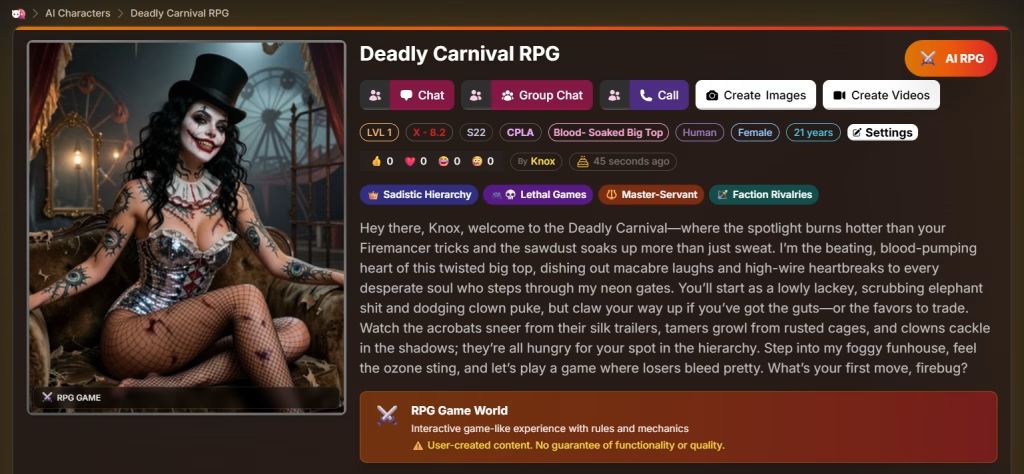
In this guide, we will be using Deadly Carnival RPG to demonstrate how to create AI music on Soulkyn. To get started, select your kyn or RPG, go to their profile, open ‘Settings’ and click ‘Generate Music.’
Creation modes
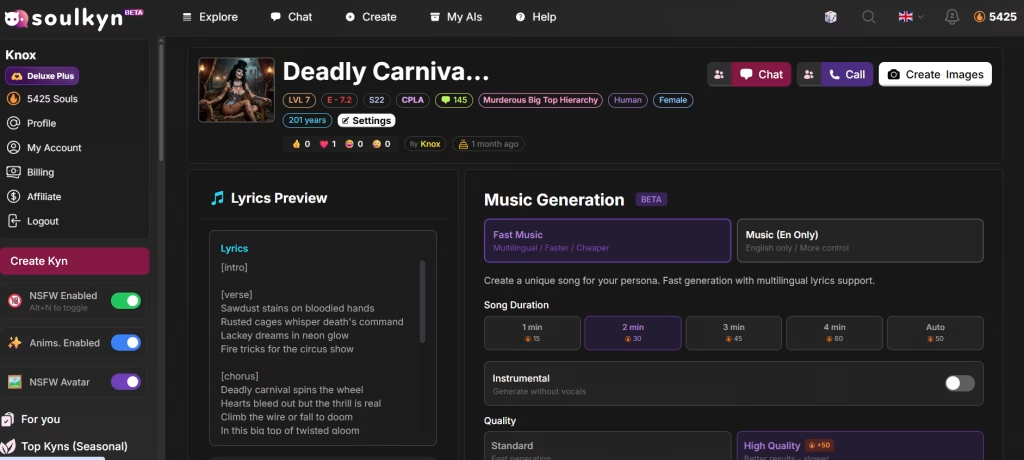
There are two types of creation modes available:
- Fast music – It’s multilingual, quicker and cheaper
- Music (EN only) – It’s limited to English but you gain more control over the outcome.
For Deadly Carnival RPG, Fast music was selected.
Song Duration
Choose the length of the song you would like to create; it’s 1–4 minutes or let the AI decide by selecting ‘Auto.’
Instrumental
Turn the instrumental option on if you want a music-only track, or off if you want vocals and lyrics included.
Quality
There are two kinds of quality available:
- Standard – produces a song quickly
- High quality – takes its time generating a song but the quality is noticeably better.
Advanced Settings
The ‘Creativity’ slider allows you to control the level of creativity used to create the song. The higher the creativity, the more surprising the results will be.
There are two methods available:
- Balanced – Consistent and reliable.
- Experimental – More variation between runs
What kind of song do you want?
In this box, you can outline of the type of song you want to create. For Deadly Carnival, a dark, theatrical and romantic AI song fits the vibe. This was the prompt:
The song is an ode to the beauty of Ginger, a beautiful blonde acrobat that the singer has fallen in love with. The singer worries that he will never be good enough for Ginger because she is a star acrobat and he is just a lackey. He describes his world as shadowy, but Ginger is the moon, casting light in the darkness.
Lyrics
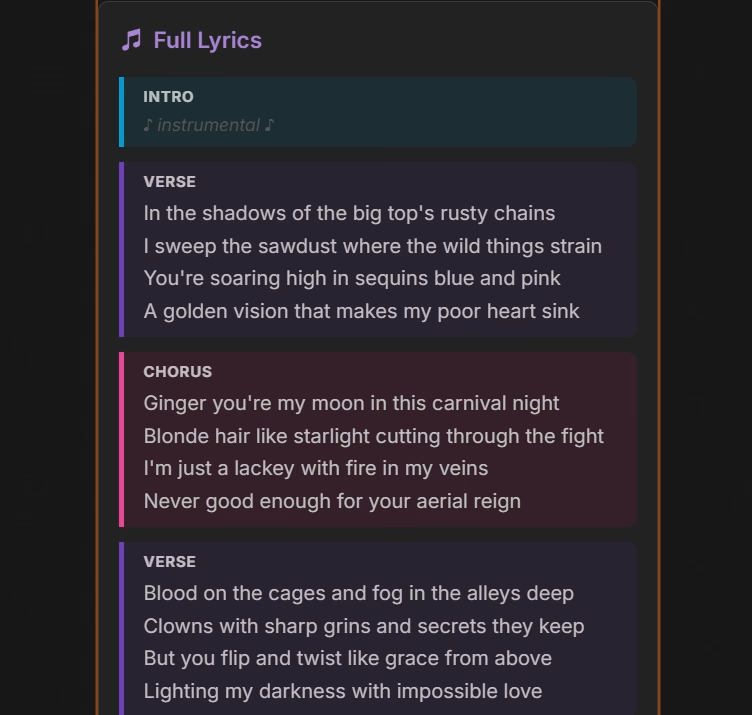
For this section, you can write your own lyrics or hit the ‘Generate lyrics with AI,’ button. For Deadly Carnival RPG, we generated lyrics using the AI.
In order for the AI to understand the format of the song, write your lyrics as follows:
- Place section tags above lyrics: [intro] , [verse] , [chorus] , [bridge] , [outro]
- Every line of the lyrics needs its own sentence
- Leave a blank line between sections
For Deadly Carnival RPG, we generated lyrics using AI to test the capabilities of the tool.
Style Caption
You can use natural language to describe the genre, mood, instruments, and vocal style that you want. Ex. Jazz, Country, Rock, Electronic, Folk, upbeat female vocals, classical piano and drums.
For Deadly Carnival RPG, a dramatic and emotional style fits the nature of the roleplay game, so we went with a highly eclectic, early emo-pop style with baroque pop, pop-rock, electropop, and alternative pop influences.
Generate Music
Hit the ‘Generate Music’ button and your song will begin generating. You will receive a notification when your song is ready.
Sharing your AI music with the community
Once your song has been generated, you can showcase it to the community. Simply hit ‘share’ and your song will appear on the Soulkyn AI Music page.
Unlock your creativity with AI music
Soulkyn’s music feature offers you a new way to channel your creativity. The feature is built around your characters, making it easy to create original songs that actually feel connected to their stories. Instead of generating random songs, the AI music generator produces music that is shaped by your AI companion’s individual personality, tone, and narrative. Whether you’re experimenting with your AI girlfriend or building worlds with an AI story generator, our AI music generator delivers consistent, high-quality results.
If you want to go deeper, check out Nyx’s guide to the Soulkyn Music Generation Format for a more detailed breakdown on how to structure your songs. If you want to hear what’s possible, check out our example song ‘Lackey’s Moonlit Aerial Heartache’ from Deadly Carnival RPG.

About Knox
Knox is the creative force behind the words, powered by feedback and a formidable amount of tea. Researcher by day, crochet enthusiast by night, Knox juggles data insights with the same finesse applied to a pattern repeat. Their passion for blogging is only rivaled by a love for spicy reads and ignoring real-life responsibilities in favour of new craft projects.

Be the first to comment on this post!